A plain answer for every drop
What happened, the likely explanation, how certain it is, and what to do next.
DiskLore maps everything on your disk and keeps a history of your free space. When gigabytes disappear, you can see when it happened and what grew.
The real app, shown with demonstration data.
Storage settings give you one colored bar and a few categories. DiskLore measures every folder, remembers how your free space changed, and explains each drop.
| What you can do | macOS | DaisyDisk | CleanMyMac | DiskClue | DiskLore |
|---|---|---|---|---|---|
| Features in all five | |||||
| Check how much free space is left | Included | Included | Included | Included | Included |
| See what’s using disk space | Included | Included | Included | Included | Included |
| Find large files | Included | Included | Included | Included | Included |
| Review files before removing them | Included | Included | Included | Included | Included |
| What sets DiskLore apart | |||||
| Record 30 days of free space in the background | Not listed in public documentation | Not listed in public documentation | Not listed in public documentation | Not listed in public documentation | Included |
| Get an alert when free space drops quickly | Not listed in public documentation | Not listed in public documentation | Not listed in public documentation | Not listed in public documentation | Included |
| Compare file changes between Time Machine snapshots | Not listed in public documentation | Not listed in public documentation | Not listed in public documentation | Not listed in public documentation | Included |
| Browse an indexed external drive after unplugging it | Not listed in public documentation | Not listed in public documentation | Not listed in public documentation | Not listed in public documentation | Included |
| Combine extension, source, size, and age filters on one map | Not listed in public documentation | Not listed in public documentation | Not listed in public documentation | Not listed in public documentation | Included |
A dash means the exact workflow isn’t listed in the developer’s public docs. History and alerts require Background Monitoring. Sources include macOS, DaisyDisk, CleanMyMac, and DiskClue.
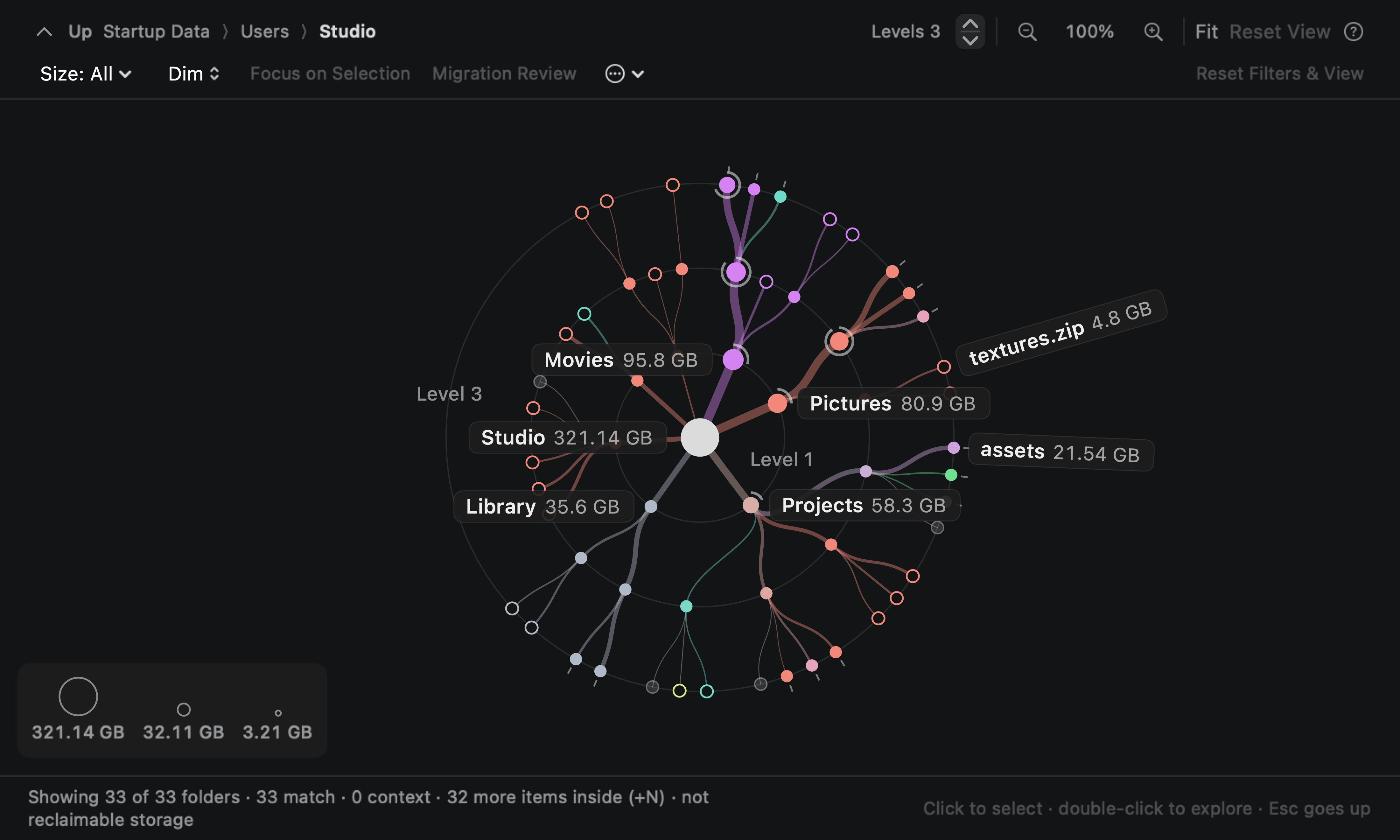
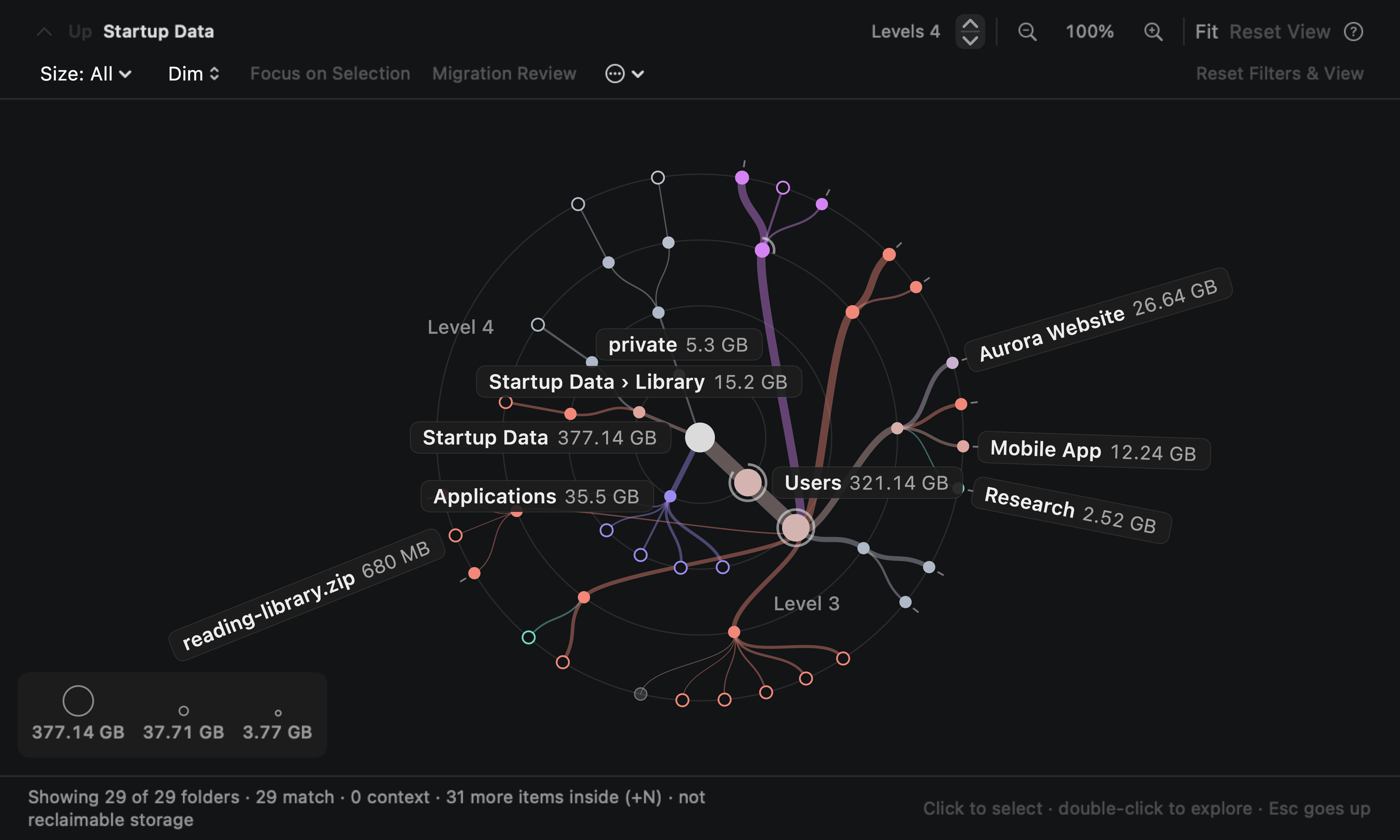
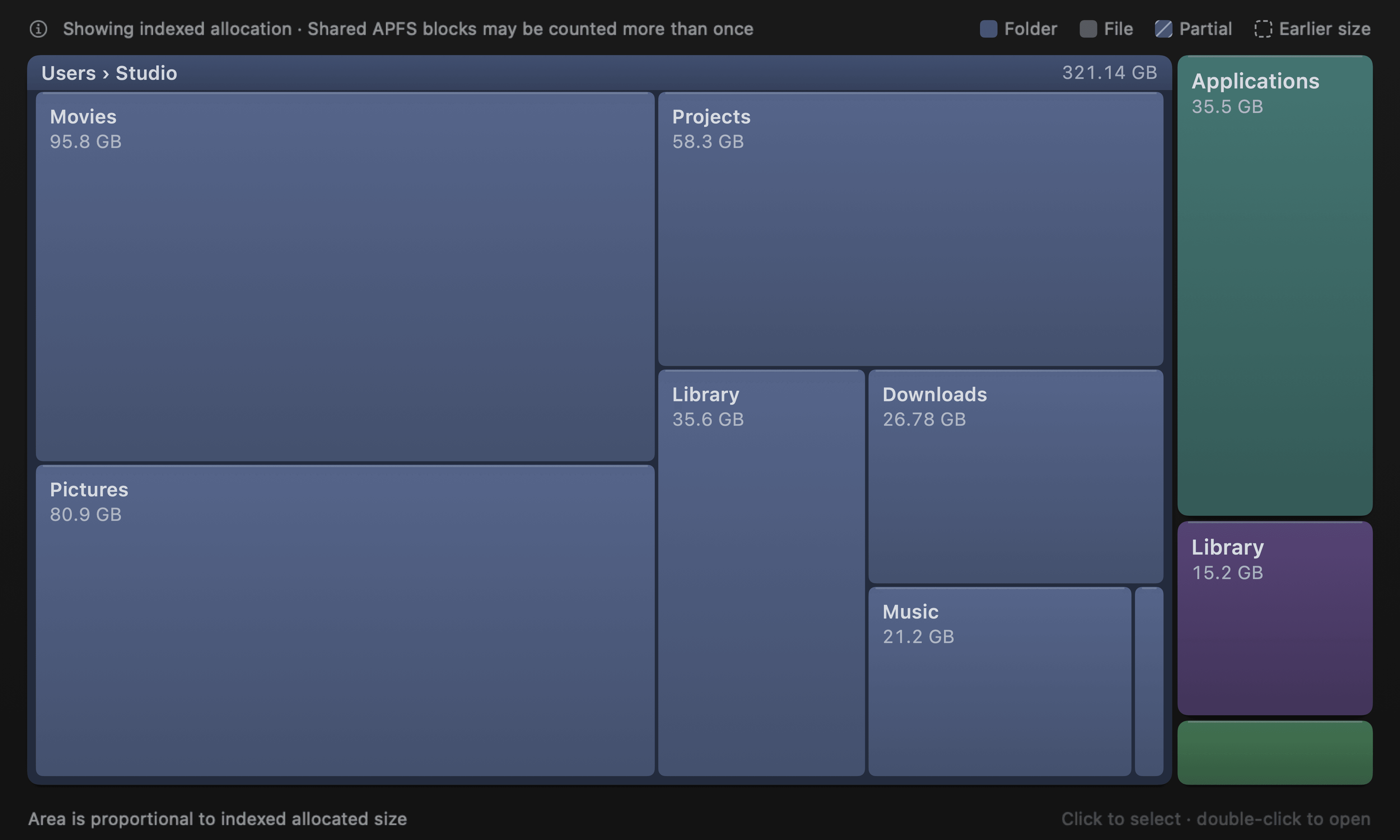
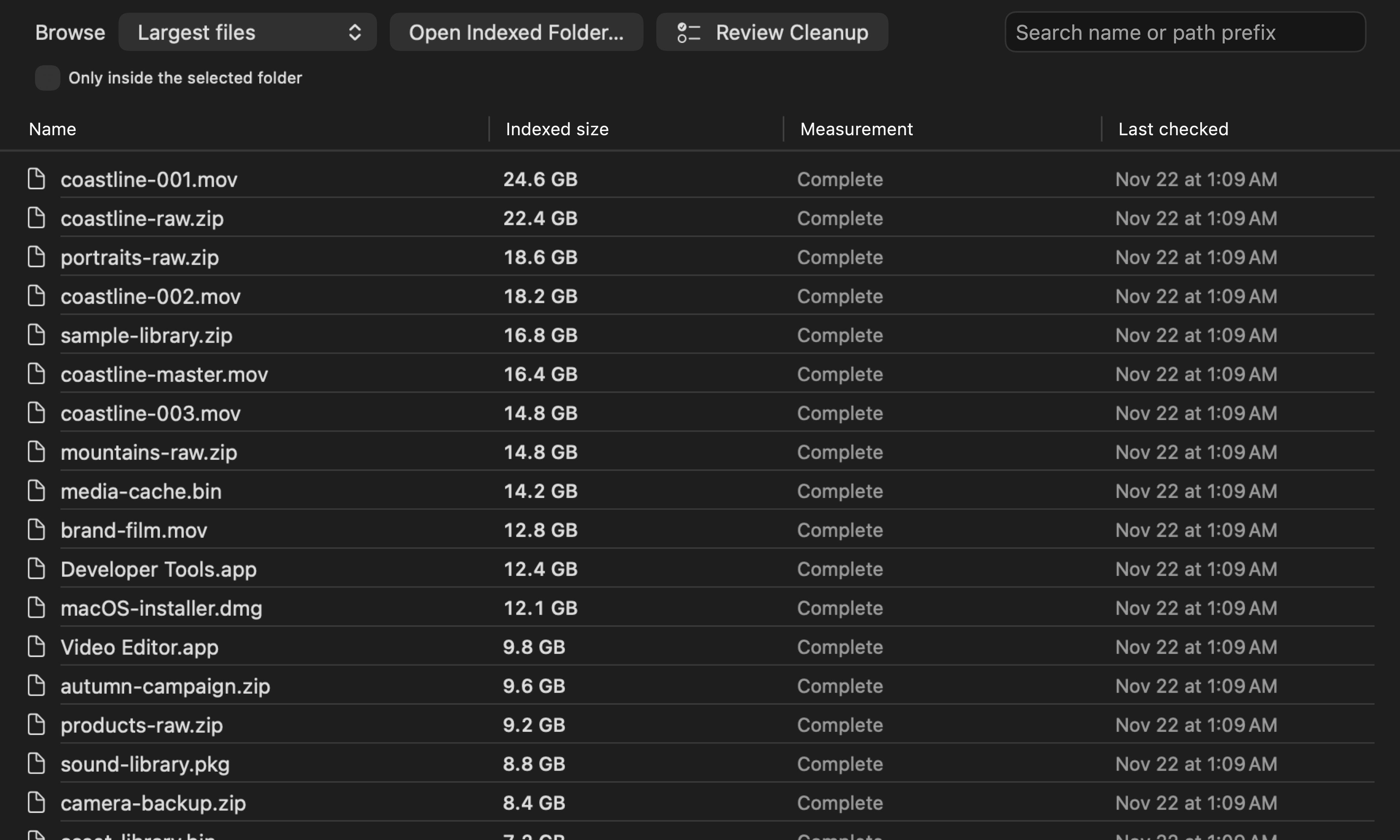
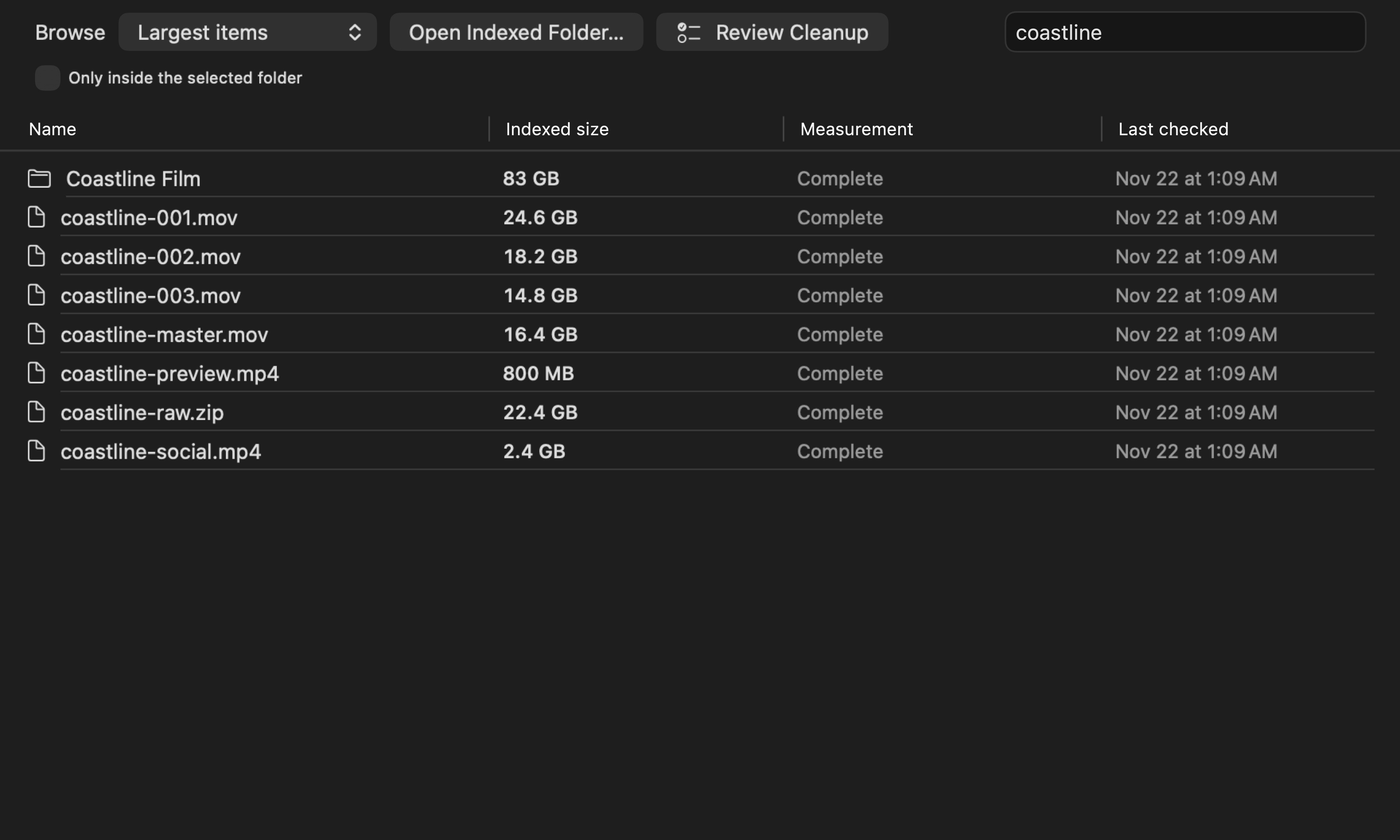
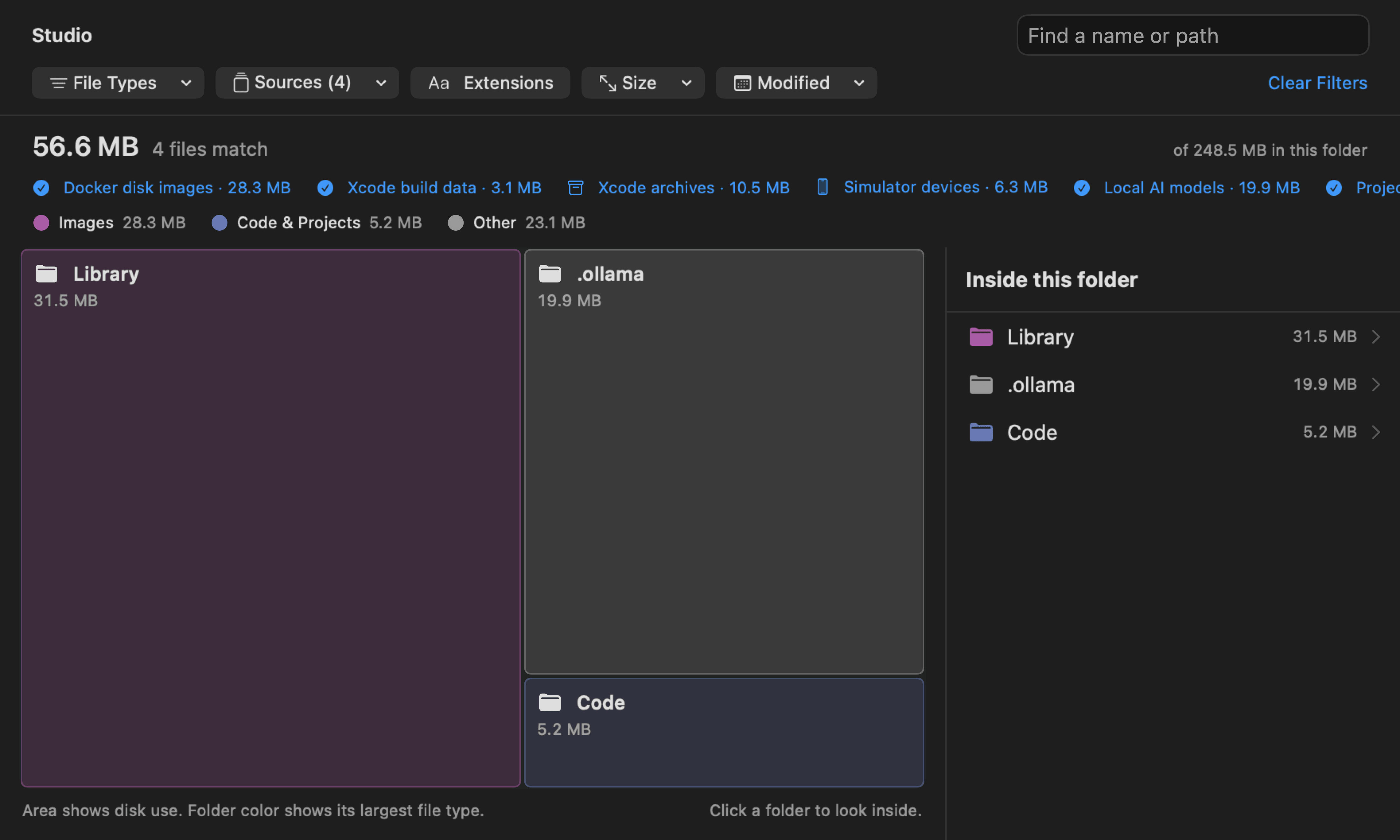
Press Start Index and DiskLore measures every folder it can reach. Then look at your disk four ways, and open any folder to see what's inside.
Combine types, extensions, sources, size, and date to narrow the same scan. Follow the map into a folder and see which extra copies are worth reviewing.
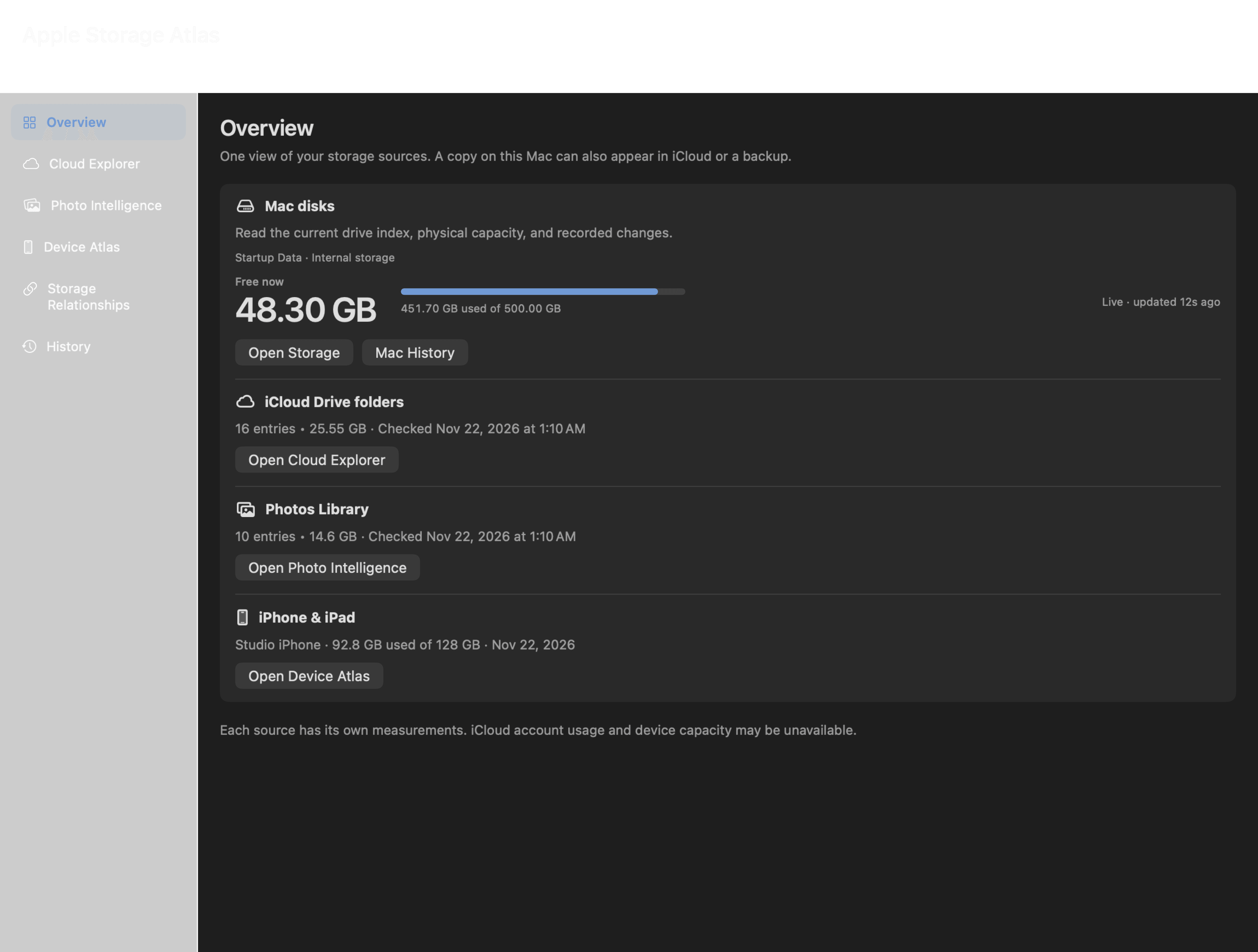
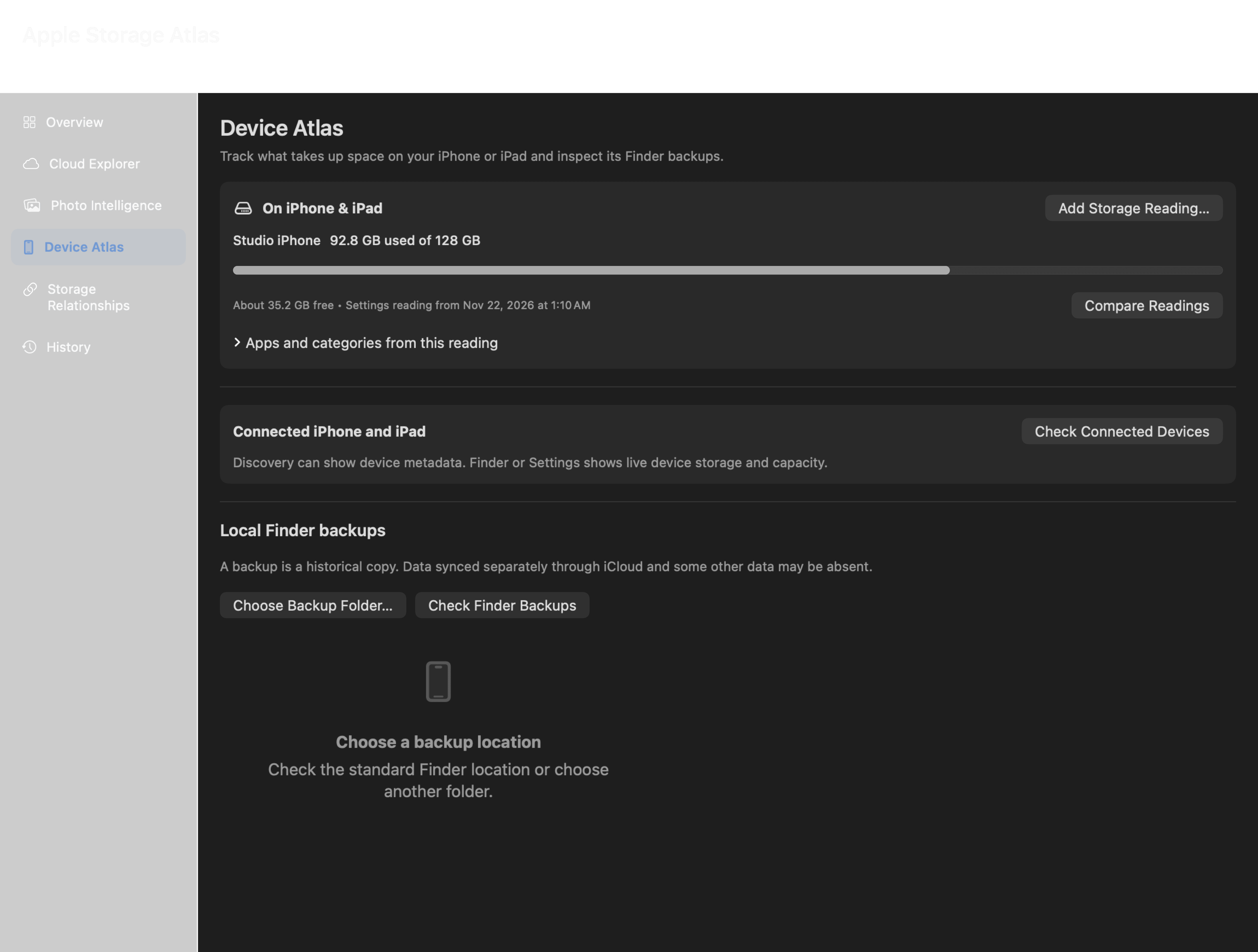
Apple Storage Atlas puts your Mac, selected iCloud Drive folders, Photos, iPhone and iPad readings, and Finder backups in one workspace. Each source keeps its own measurements.
Enter a reading from Settings or import an English screenshot to fill in used space and capacity. Add app and category sizes and compare readings over time. The live per-app list is available in iPhone or iPad Settings.
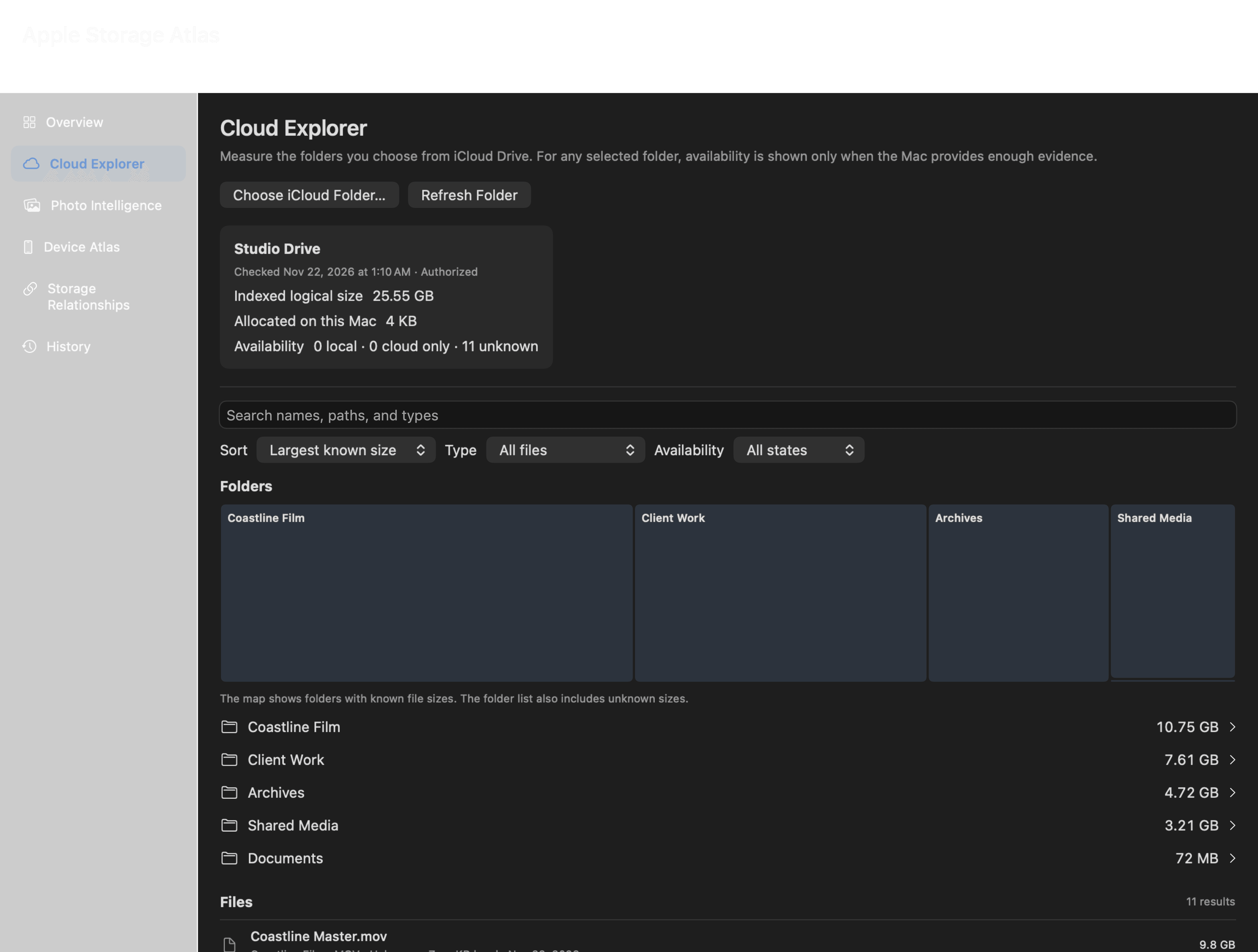
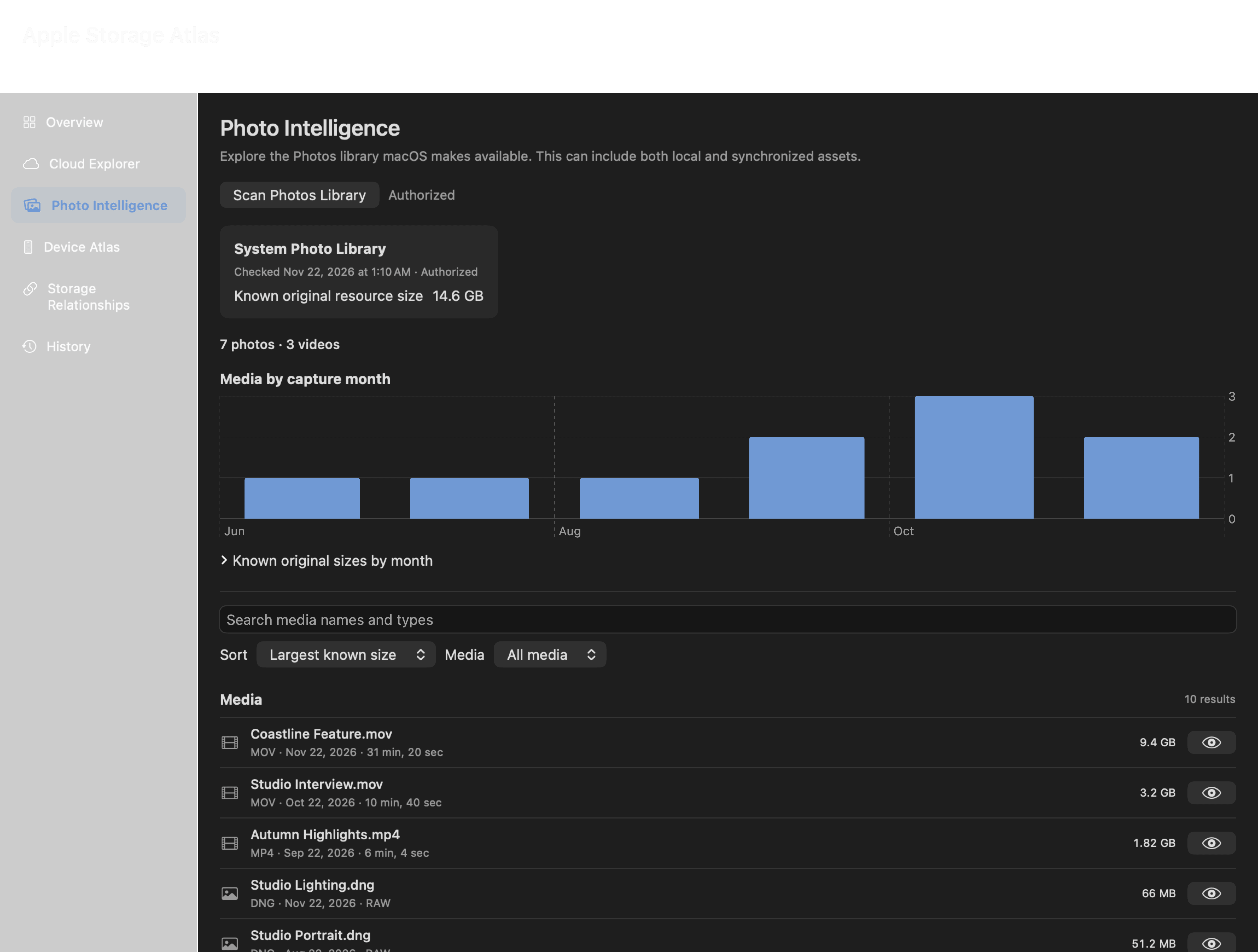
Browse folders you choose from iCloud Drive, find large files, and compare reported file size with space allocated on the Mac. Photo Intelligence shows media counts, trends, and original sizes when your Mac’s Photos library provides them.
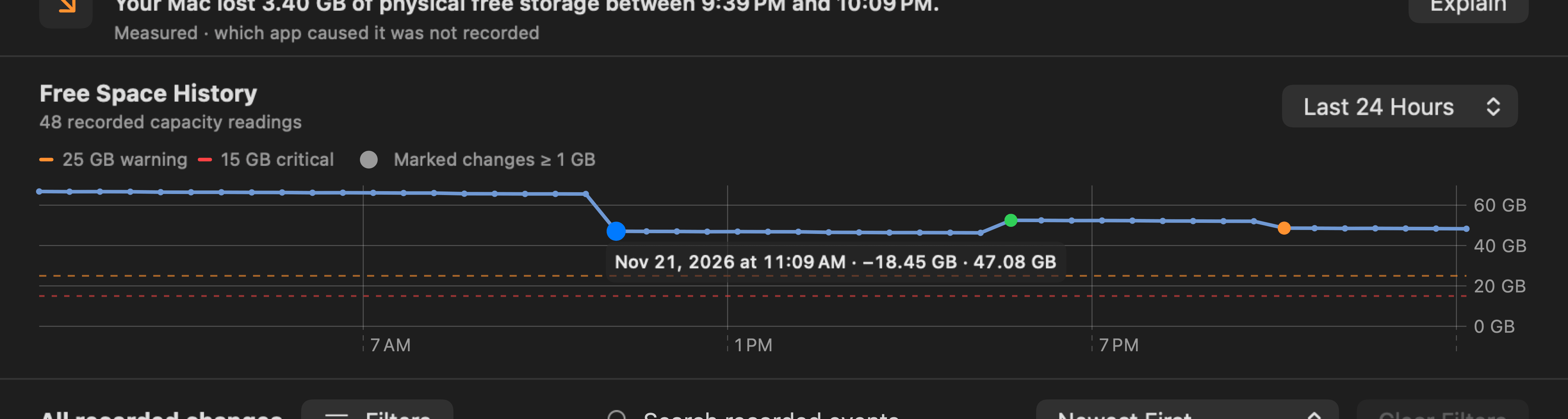
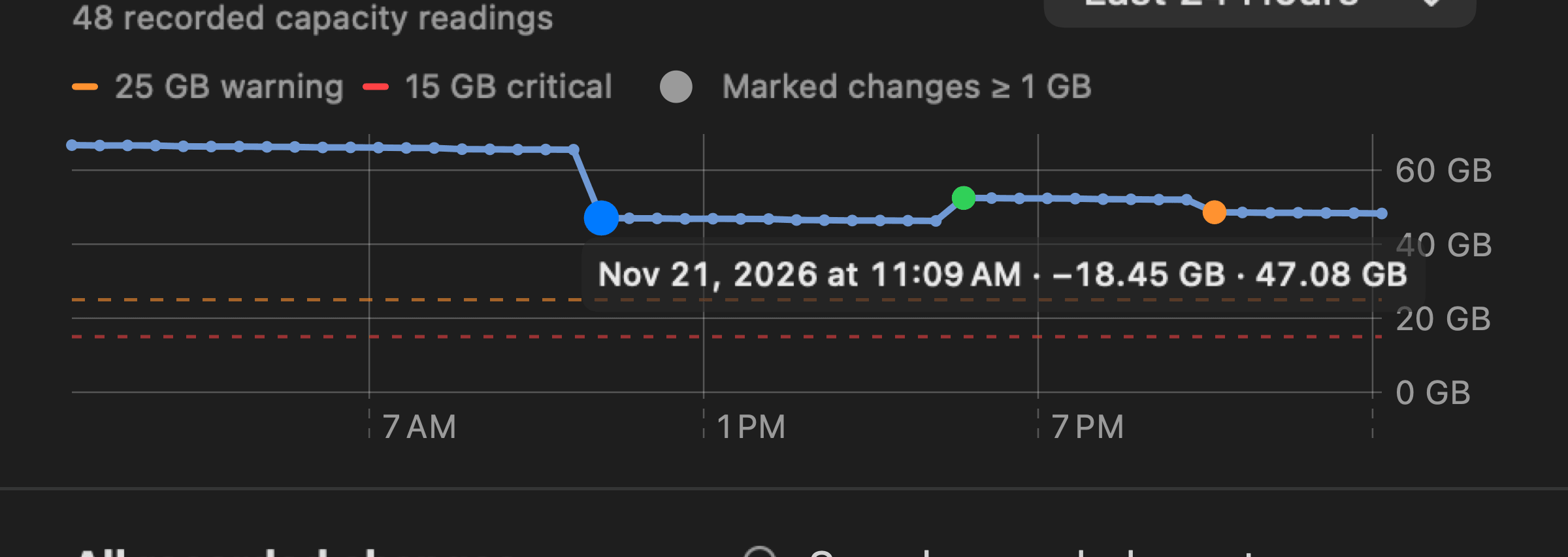
Most disk tools show you today. DiskLore takes a free-space reading every half hour and keeps 30 days of them, so a sudden drop has a time and a size.
DiskLore runs quietly in the background and sends a notification when:
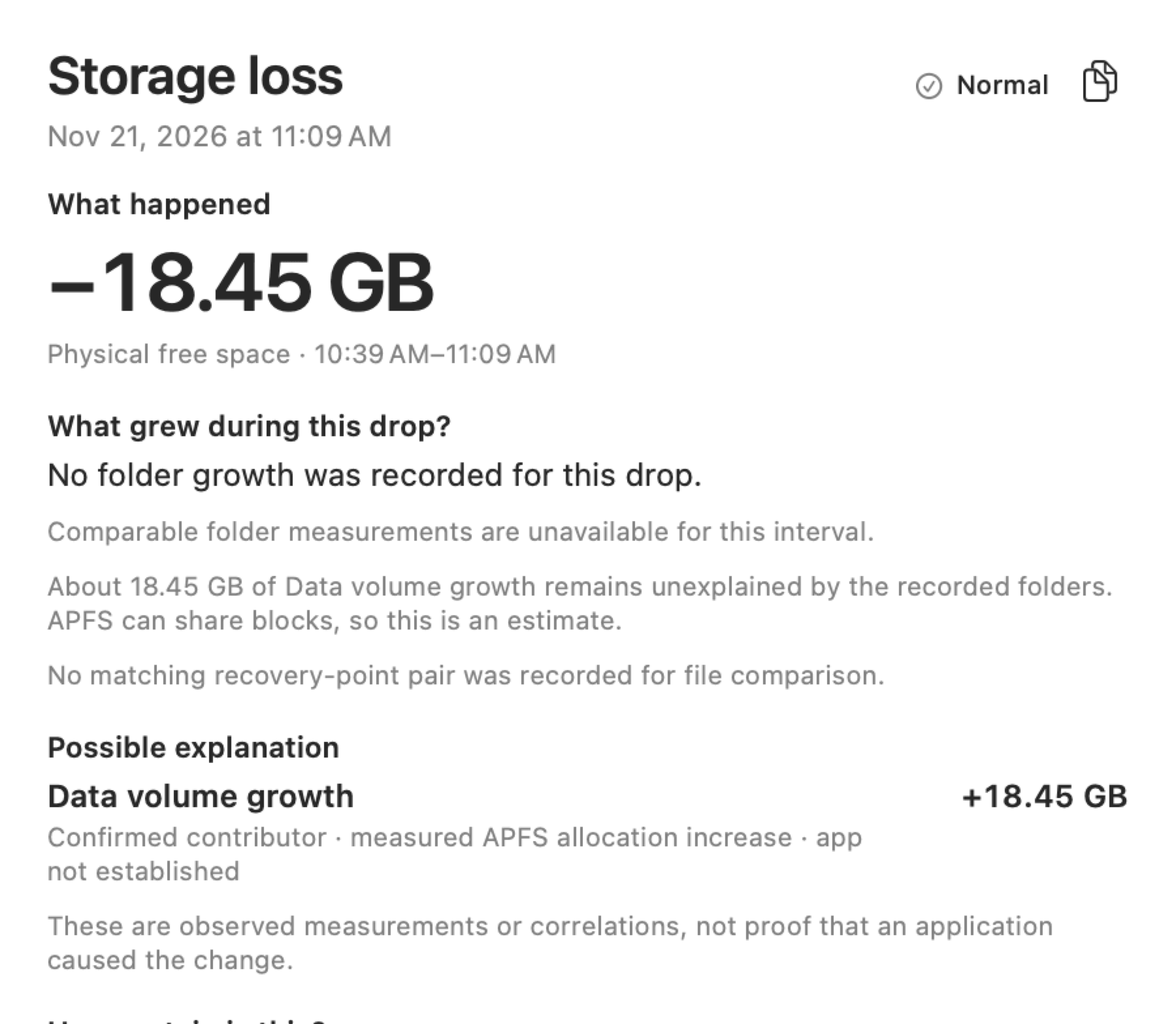
Click any drop and DiskLore tells you what happened, what grew and how sure it is. Every figure is a measurement taken before and after.
What happened, the likely explanation, how certain it is, and what to do next.
On the developer's Mac, between 3:30 and 4:00 AM.
−2.18 GB of free space
| Your files and apps | +1.10 GB |
|---|---|
| Memory moved to disk by macOS | +1.07 GB |
| System update files | +0.001 GB |
| Explained | 2.18 GB |
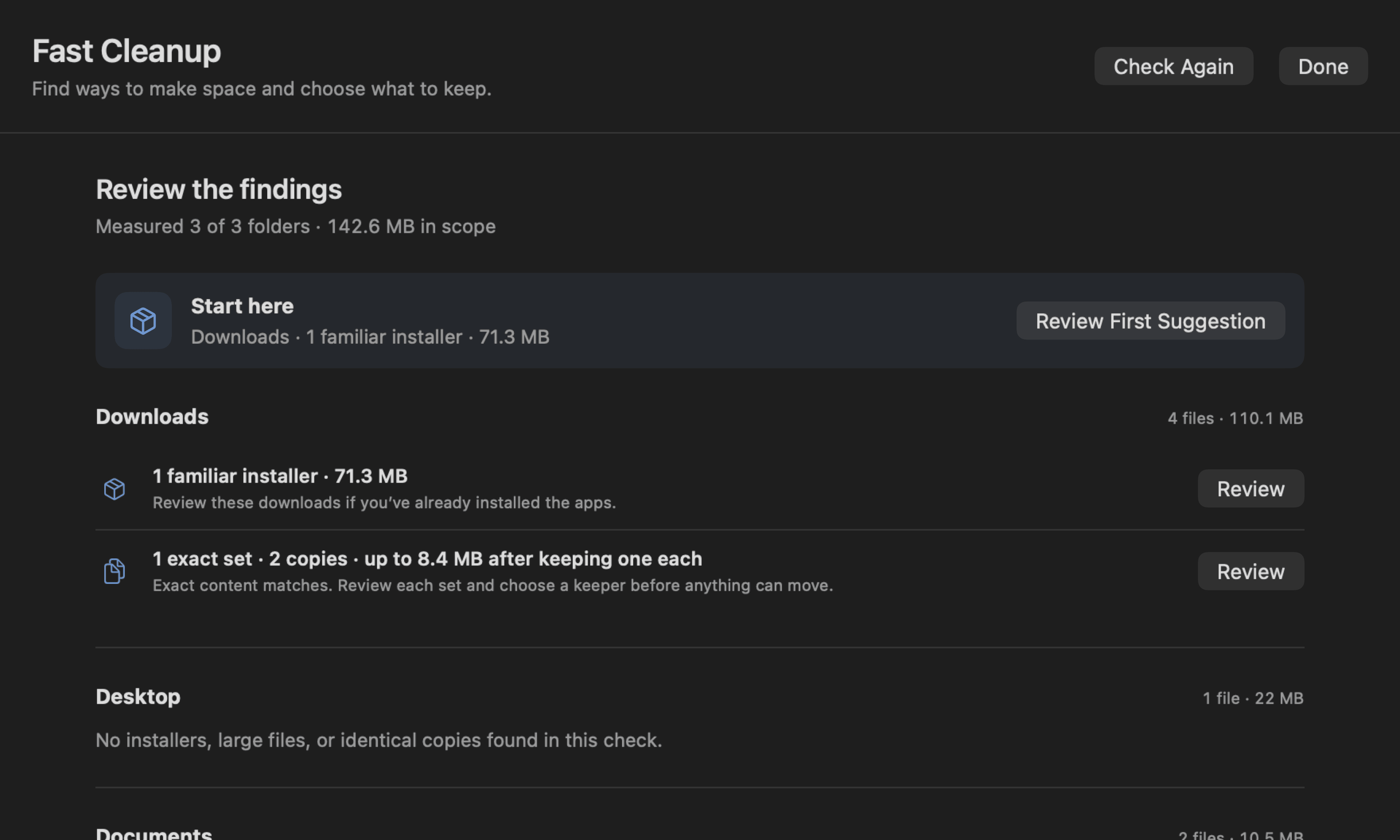
Fast Cleanup checks everyday folders for old installers, large files, and identical copies. DiskLore shows where to start and lets you open the files behind every finding.
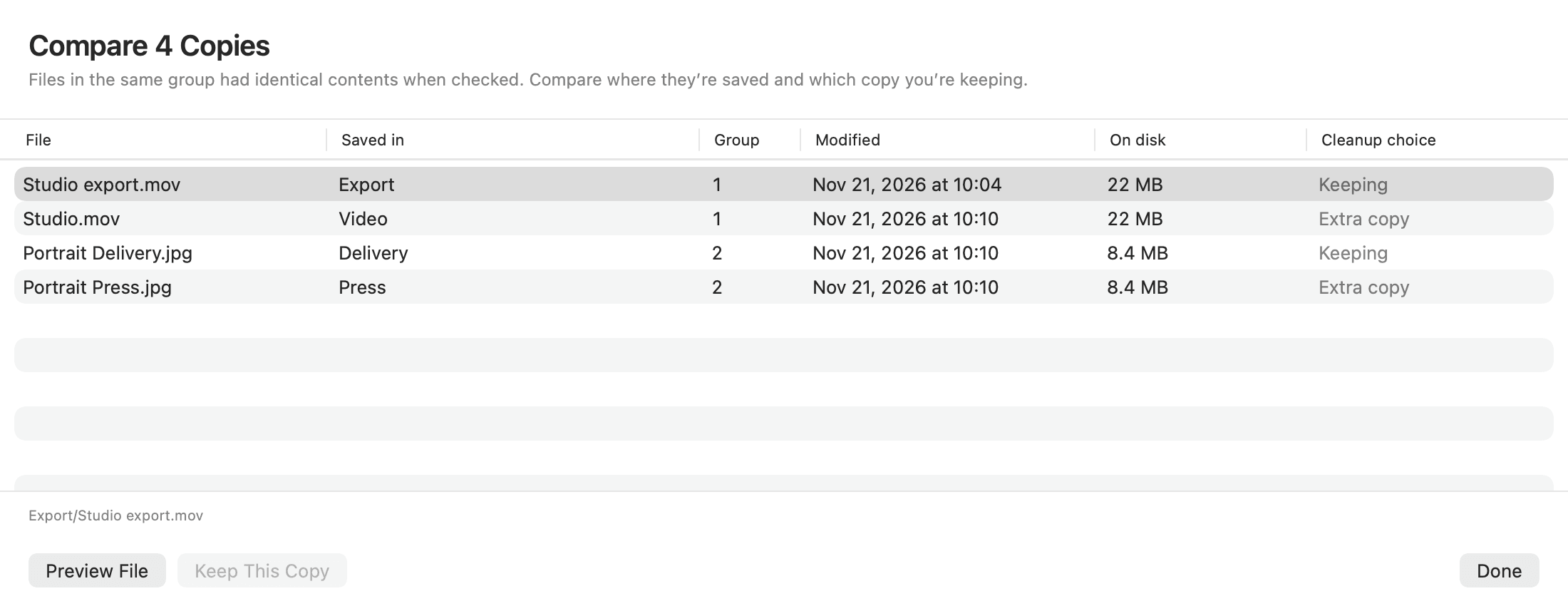
Select copies from one group or several. Compare where they’re saved, preview the files, and choose one copy to keep in each group.
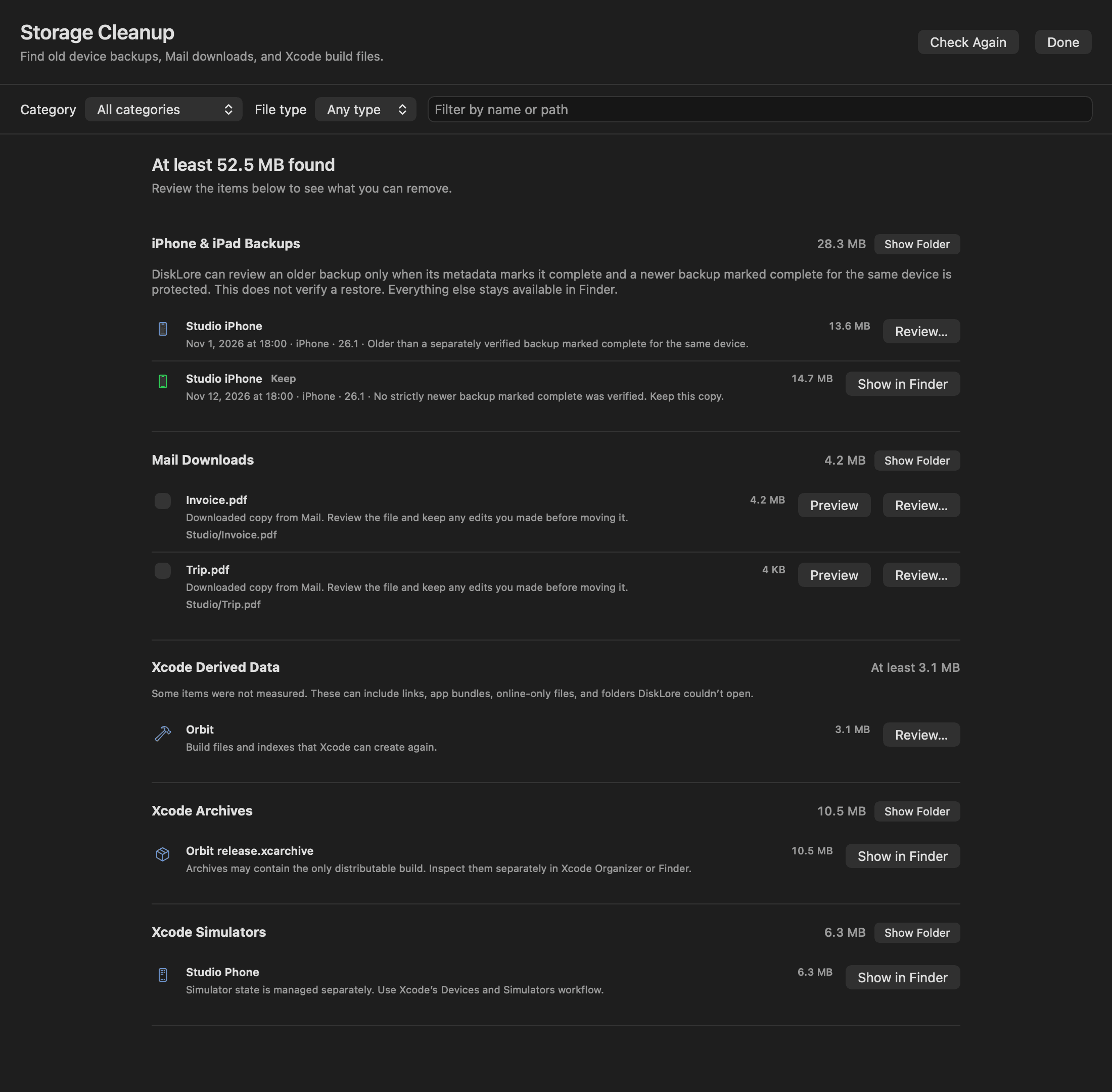
Compare device backups side by side, preview Mail downloads, and see what Xcode can rebuild. Review selected items together and put them back from Trash if you change your mind.
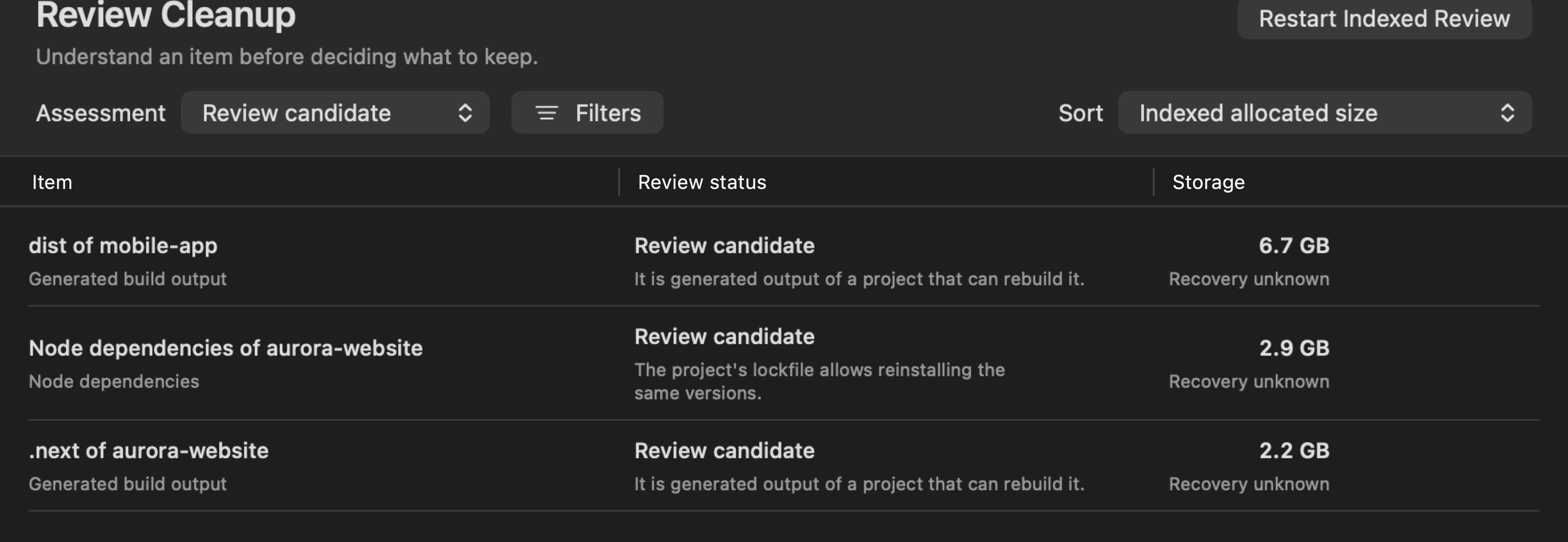
Build leftovers, downloaded packages and other folders your projects can recreate, biggest first, each with a plain reason and its size.
DiskLore works entirely on your Mac, with no account and no cloud. What it learns about your disk is yours, and nothing about it ever leaves.
DiskLore has no way to send your data anywhere. Your history is one file on your disk that you can copy, back up or delete.
Understand where your Mac's storage goes, explore your disk visually, and track changes over time.
DiskLore pricing
$5.99 one-time
14-day free trial. No credit card required.
Included with purchase
The price includes any tax.
Because DiskLore isn't notarized by Apple, macOS stops it the first time you open it and says:
Apple could not verify “DiskLore” is free of malware that may harm your Mac or compromise your privacy.
On macOS 14 it reads: “DiskLore” can’t be opened because Apple cannot check it for malicious software.
After that it opens like any other app. You only do this once.